More than 90 things Belsy does for your salon
Everything it has today, no promises about what might come. And a guide to get started and for every day.
No card, no commitment.
The calendar
The appointment book on your front desk, doing what paper can’t do on its own.
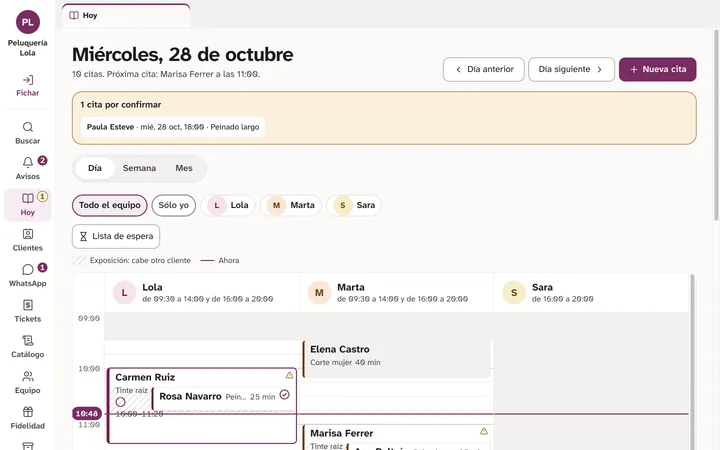
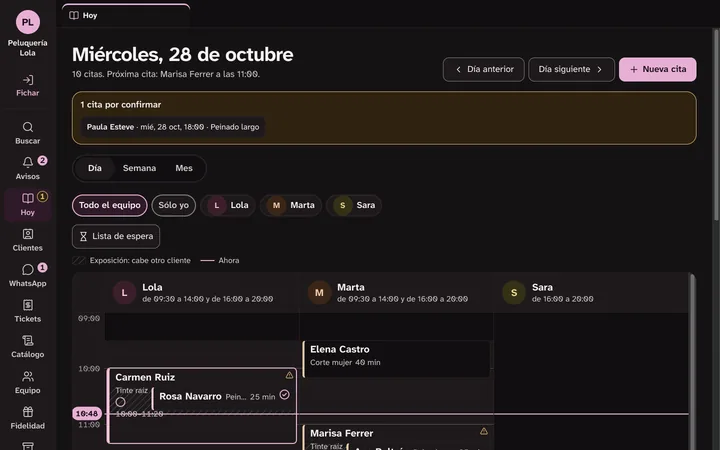
The appointment book
Day, week and month, one column per professional, like the paper book on your desk but without crossings-out.
Drag an appointment to move it
Pick it up and drop it at another time or in another column. It snaps to your salon’s time slots.
Repeating appointments
Every 1, 2 or 4 weeks for 1, 3 or 6 months. If the time changes, you move that one and the ones after it in one go.
The whole week
All seven days in a calendar, with pinch-to-zoom on the tablet. “Free slots for…” shows where a service fits each day.
Several services in one visit
Colour and cut in the same appointment, each with its own professional and time. When booking online: “Anything else?”
A colour for each service
You pick each service’s colour in the catalogue and the diary reads at a glance.
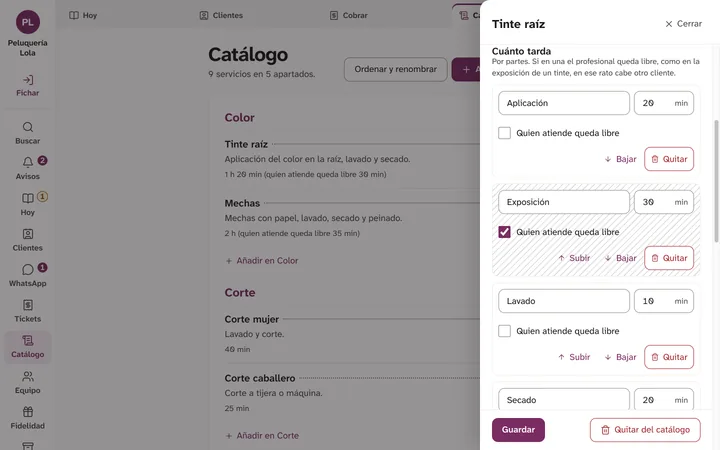
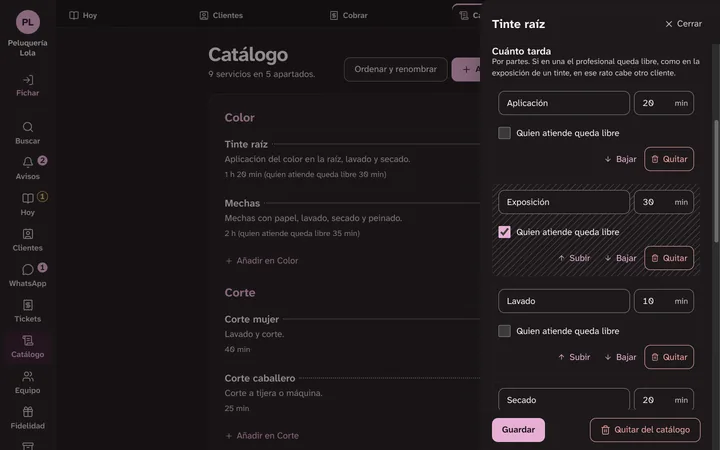
Processing times
The appointment is split into stages: while the colour develops, whoever is doing it is free and another appointment fits in.
See the screen
Confirm what comes in
Online bookings go straight in or wait for your yes, as you choose. Those waiting sit at the top of the book.
Waiting list
Whoever wanted a taken slot joins the list. If it frees up, they get a notice to book it.
Come in earlier
If someone cancels, the slot is offered to whoever has a later appointment that day. If they accept, it moves on its own.
Holidays and days off
Each professional with their own. On those days nobody books them, neither you nor the internet.
Closing days
Bank holidays and salon holidays: the calendar keeps them and your website doesn’t offer them.
Machines and rooms
A machine or a treatment room can’t be booked for two appointments at once. You say which service uses which.
A notice when an appointment ends
“Carmen has finished”, with Take payment at hand for whoever runs the till.
No-shows
After two no-shows, their next booking needs confirming. A troublesome contact can be blocked without them noticing.
Booking and your website
Let people book at any hour, wherever they find you.
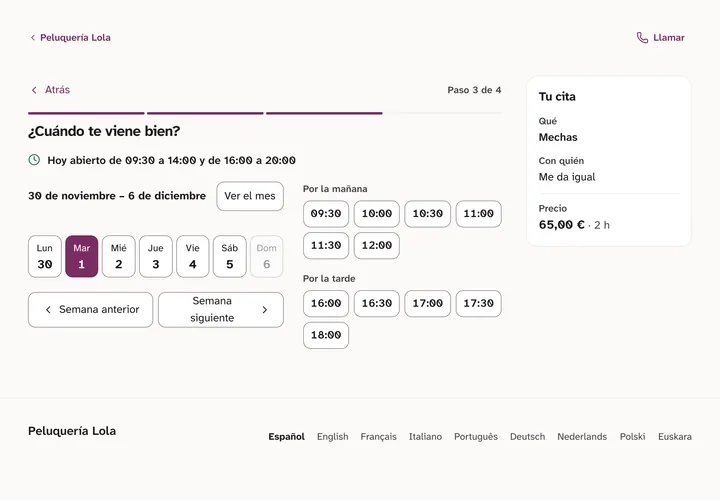
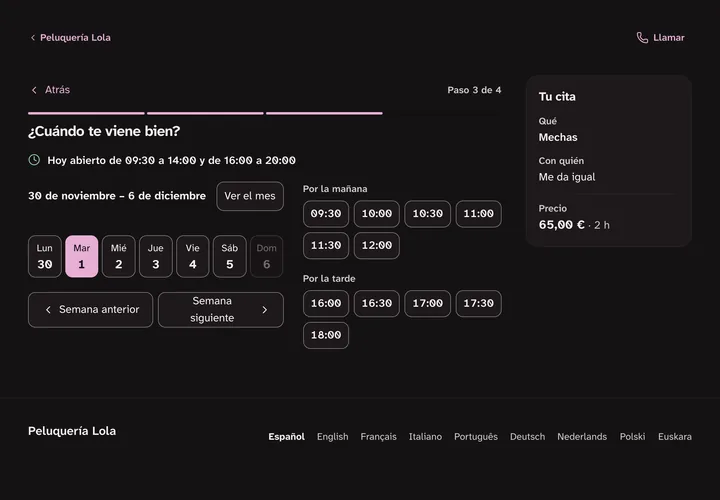
Booking 24 hours a day
They choose a service, a professional or “anyone”, and a free time. Nothing to download, no account needed.
Your website
With its own editor: pick a template, arrange the blocks and add your photos, services and opening hours, with booking built in.
See the screen
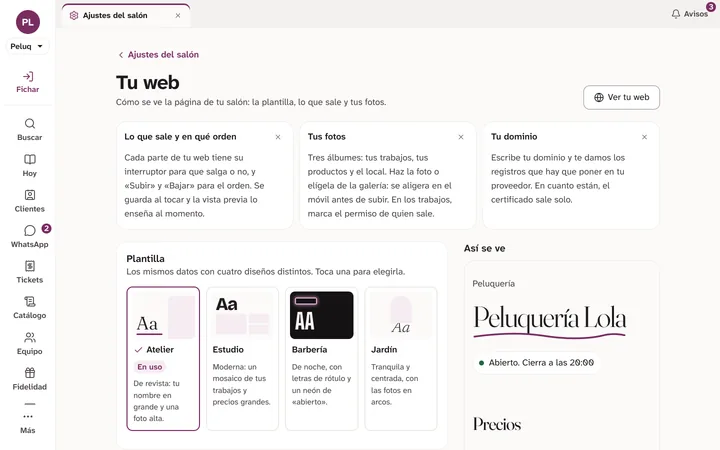
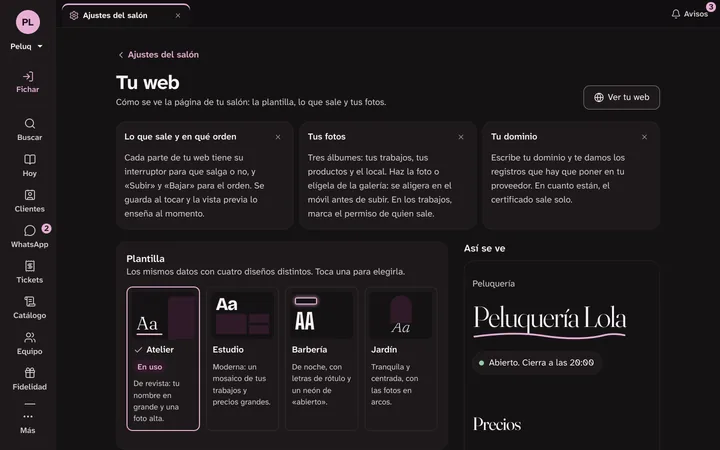
Your own domain
yoursalon.com instead of a long address, so people find you on Google by your name.
Your website in nine languages
Visitors from abroad read your website and book in their own language.
The front-desk QR code
Print it and put it on show: scanning it books an appointment or joins your salon in My Belsy.
Book from Instagram and Google
The book button on your profiles goes straight to your calendar.
Stories with your free slots
Belsy makes an image with your free times, ready to post on Instagram in a moment.
Deposit when booking
Ask for a deposit on long services or from whoever has stood you up before. You decide.
Nobody fills your book as a joke
One phone can’t book for half the neighbourhood, and anything doubtful is confirmed by email before it takes the slot.
Each service, your way
Price shown or hidden, booked straight away or waiting for your yes, and whether it asks for a deposit. Service by service.
Variants of each service
Short, medium or long hair, each with its own price and time. And variants within a variant.
Checkout and tax
Take payment in a moment, with the receipt the law asks for.
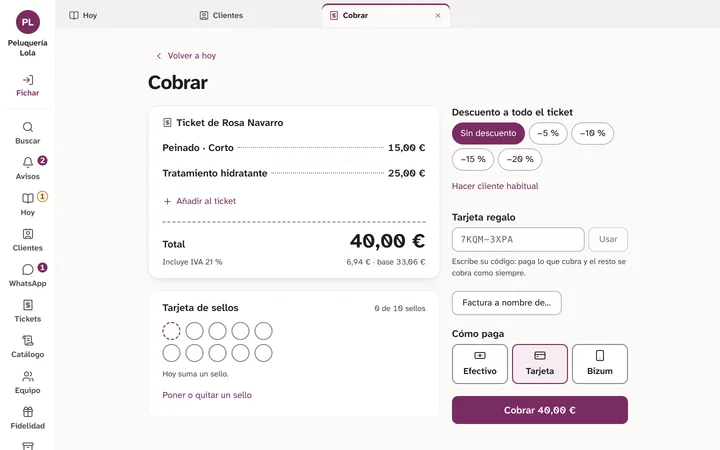
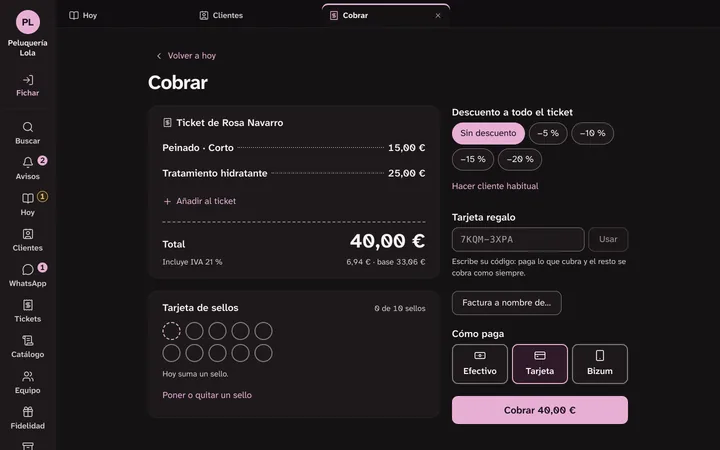
Take payment in one tap
From the appointment: what was done is already on the bill. Add a product or a discount and you’re done.
VERI*FACTU and TicketBAI
Every receipt carries its QR code and reaches the Spanish tax office on its own. In the Basque Country, with TicketBAI.
The receipt, however they want it
On paper, by email or by WhatsApp. No printer needed.
Invoices for companies
At checkout or later, in place of the receipts. And as an e-invoice if they ask for one.
Refunds and cancellations
Refund all or part of it and the tax office gets the correction, no paperwork.
The day’s takings
What came in as cash, by card and online, to balance the till at closing time.
Selling without an appointment
A shampoo or a gift card for someone who walks in: charged just the same, with its receipt.
Take payment online
With your Stripe account or your bank’s card terminal: the deposit, the whole appointment or a gift card.
No internet, no problem
If the salon’s connection drops, you still take payment and book appointments. Everything uploads when it’s back.
Client cards
What you know about each client, at hand while you look after them.
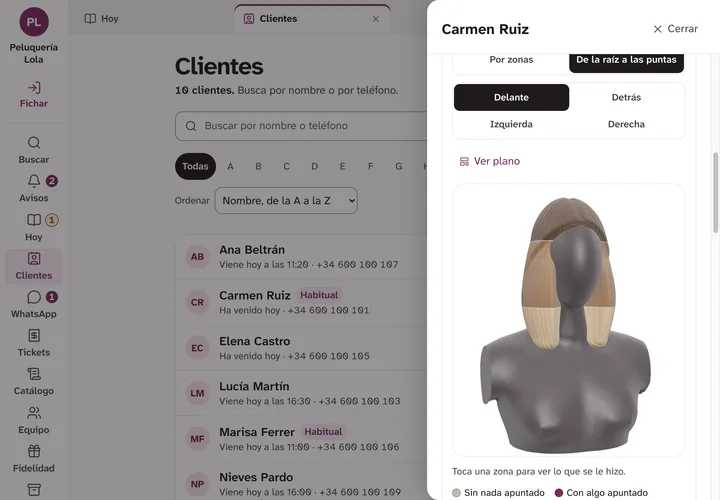
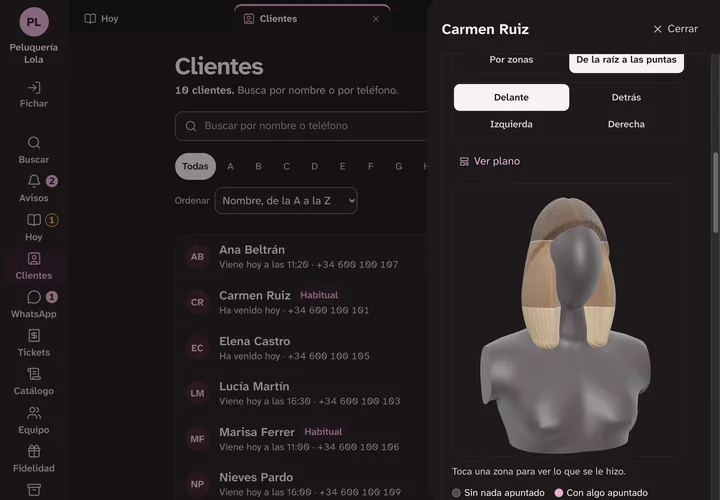
A card for every client
Their appointments, what was done, your notes and their packages, on one screen.
Colour and formula
The mix, the time and how each colour turned out, so you can repeat it exactly next time.
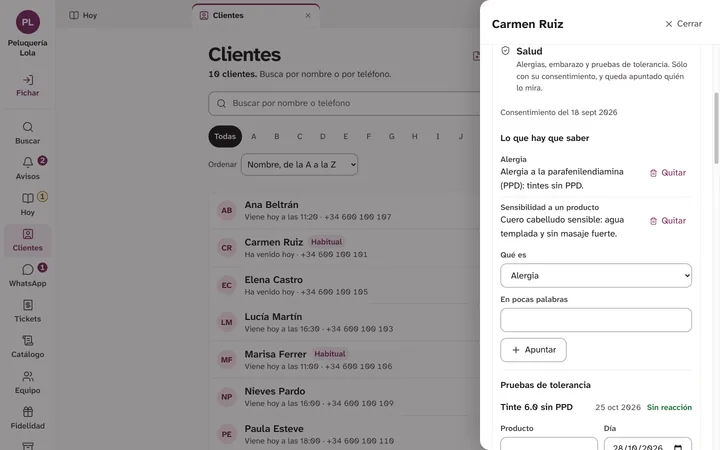
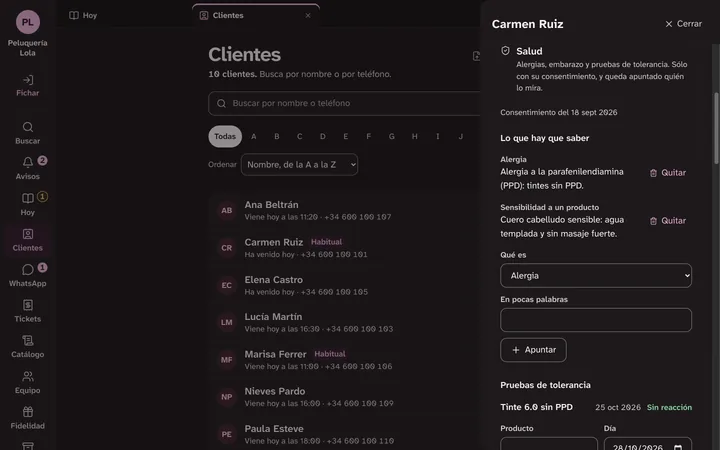
Health and consent
Allergies, medication and signed consent forms, where you see them before you start. Every view is logged.
See the screen
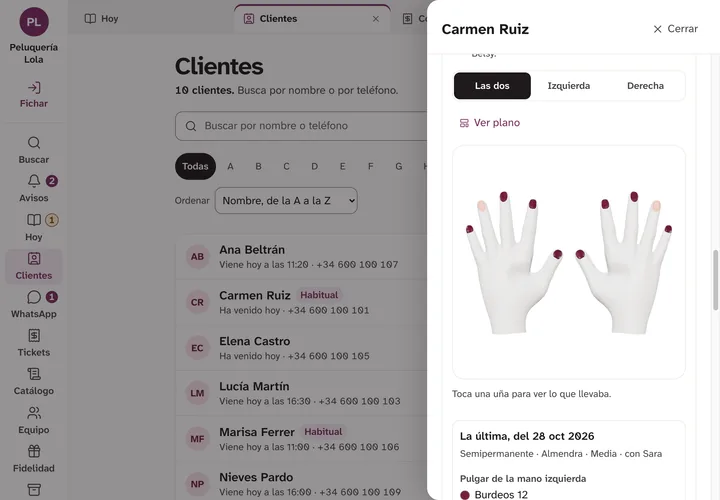
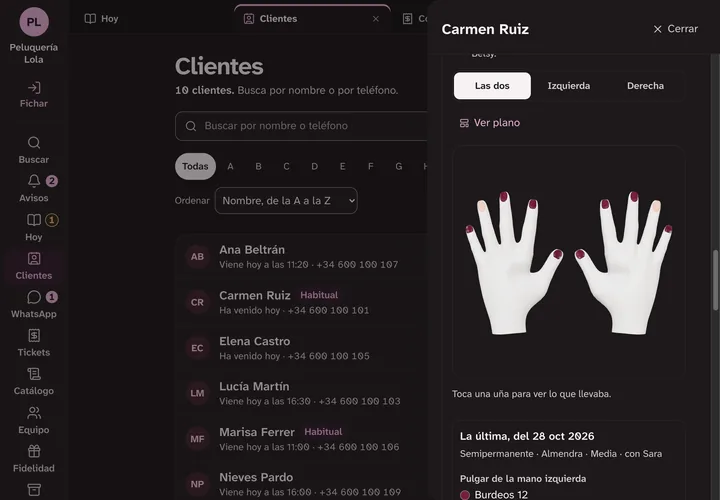
Nail design menu
Your designs with photo and price. Clients choose one when booking and it stays on the appointment.
See the screen
Toenails in 3D
Each toe with its colour and design, on a 3D foot you can turn and zoom into.
Labels
“Regular”, “Bride”, “Sensitive skin”: your own, with their colour, to find and filter your clients.
Before and after photos
Taken from the appointment and kept on their card.
The client card as a PDF
Their details, consents and appointments on paper, for whoever asks for it.
Bring your clients over
From a spreadsheet or your old software, with their packages.
Birthday wishes
A message on their birthday, with a little gift if you want to give one.
Data protection
If someone asks for their card to be deleted, it’s deleted. Anything you remove waits in the bin in case it was a mistake.
WhatsApp and notices
The messages you’d forget, sent on their own.
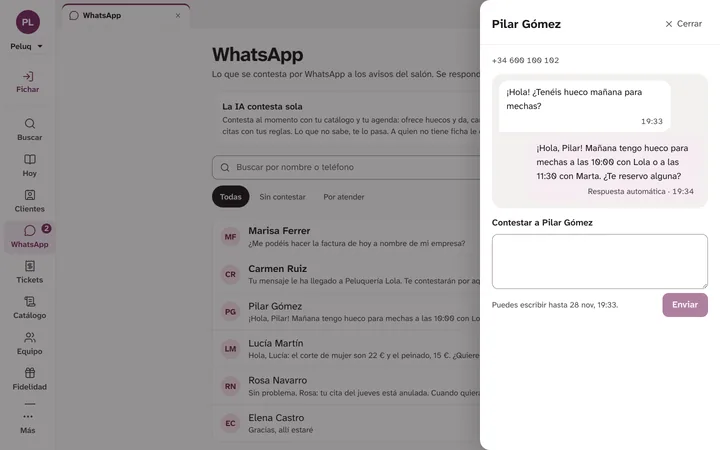
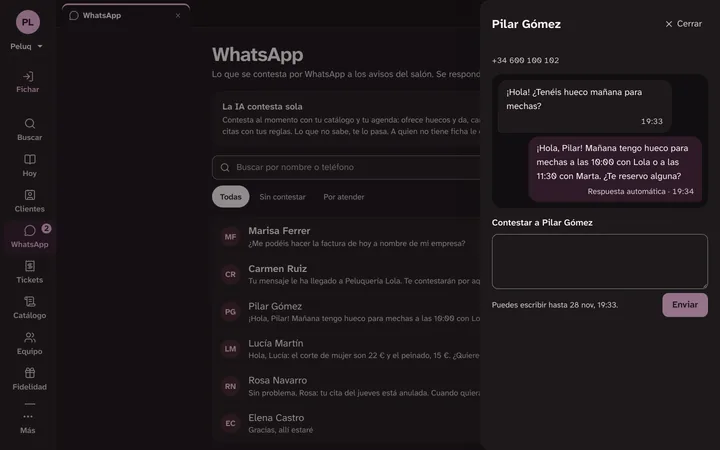
AI answers your WhatsApp
It replies to your clients straight away using your services and your diary: offers free slots, books the appointment and changes or cancels it by your rules. Anything it can’t handle, it passes to you.
Appointment reminder
A WhatsApp before the appointment, with the time and buttons to say they’re late or to cancel. Fewer no-shows.
“Running late”
From the reminder they can say 5, 10 or 15 minutes with one tap, and you see it in the book.
Conversations in the dashboard
Your clients’ WhatsApp messages inside Belsy, next to their card and appointments.
Every booking, instantly
A notification on the salon’s phone or computer as soon as someone books, changes or cancels.
Time to come back
“Your root touch-up is due”: the notice arrives with that service ready to book.
Ask for a review
After the appointment, a message asking them to leave a review on your Google profile.
More messages when you need them
If the month’s run out, top up your balance and carry on, without changing plan.
Stamps, packages and gifts
What brings people back, without cards that get lost.
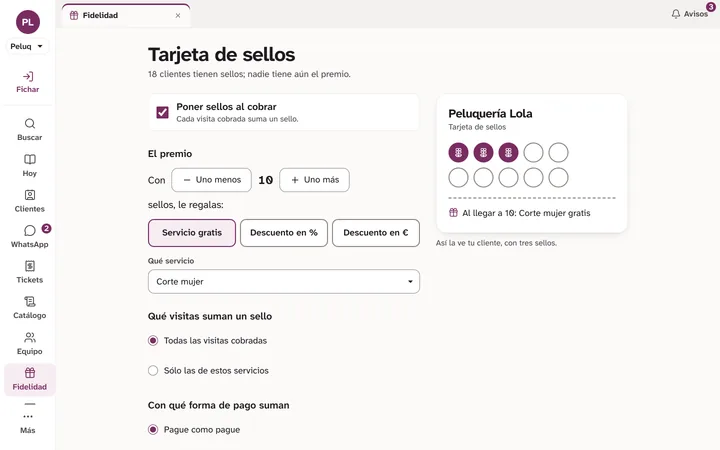
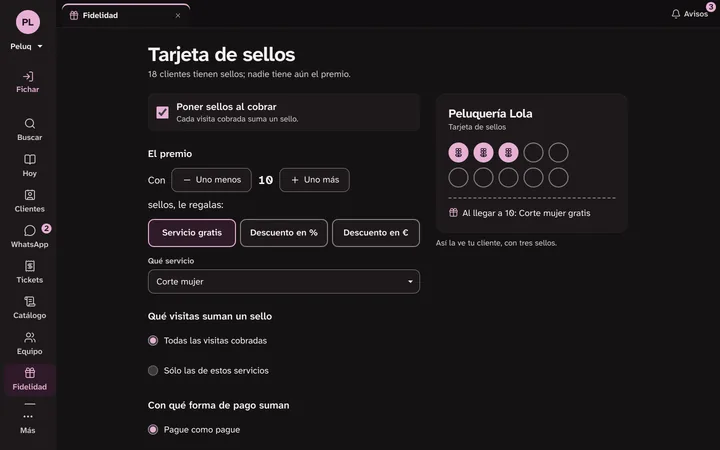
Stamp card
It stamps itself at checkout. You decide how many stamps, what reward, which services count and with which payment method. They never expire.
Session packages
5 laser sessions or 10 manicures: deducted automatically at every appointment.
Bundles and campaigns
Several services together for one price, bookable on your website and in My Belsy, or a discount with dates on whatever you choose.
Gift cards
Sold at the desk or online, delivered by email with their code and PIN, and redeemed at checkout.
Regular-client discount
Your regulars get their percentage: it applies by itself when they book and pay, and they see it in My Belsy.
Bring over paper stamp cards
Copy in the cards you already had, so nobody loses what they’d collected.
The team
Everyone with their own, and you with everything.
Everyone’s own schedule
Their days, their hours and the services they do. The calendar only offers what’s possible.
Who sees what
Reception takes payment, each professional sees their own calendar and you see everything.
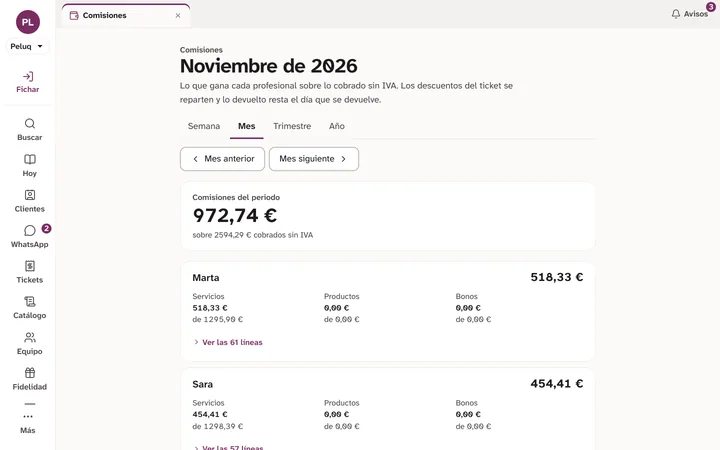
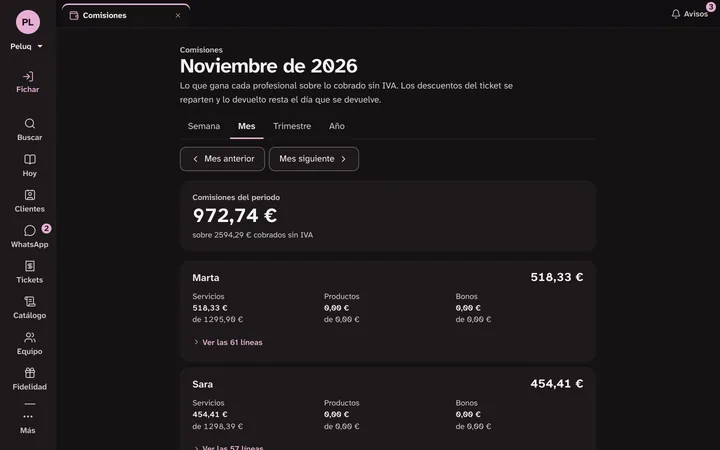
Commissions
Per service or per product, by who did it, worked out at checkout.
Working-time records
The clock-in the law requires, from a phone or the salon tablet, and the month ready for your accountant.
Several salons, one account
If you have two locations, you switch between them from the top, each with its own data.
Stock
What you have left and what you need to order.
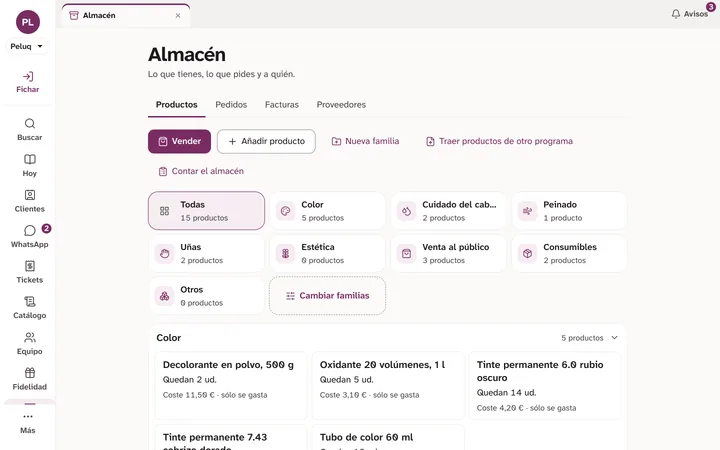
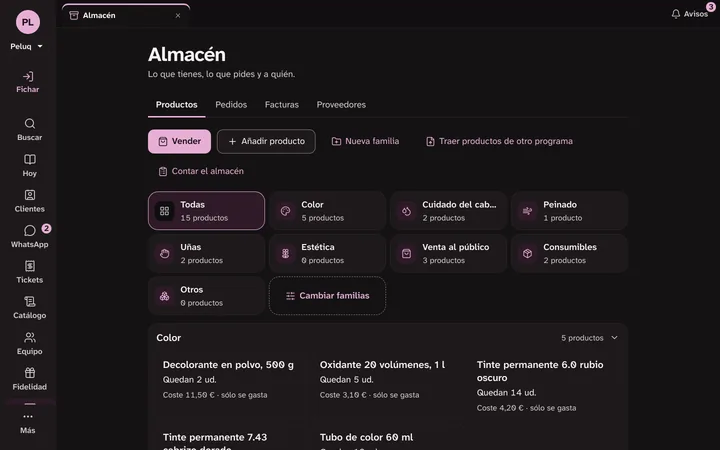
What you have left
Stock goes down by itself with every service and every sale.
What each service uses
Colour, developer or wax per service, so you know what it really costs you.
Supplier orders
What’s missing, in an order already written that you send by WhatsApp or email.
Supplier invoices
Enter them when the order arrives and stock goes up on its own.
Stocktaking
You count product by product and Belsy corrects whatever doesn’t match.
Import your products
From a spreadsheet or your previous software, with their categories and suppliers.
Reports
How the business is doing, without spreadsheets.
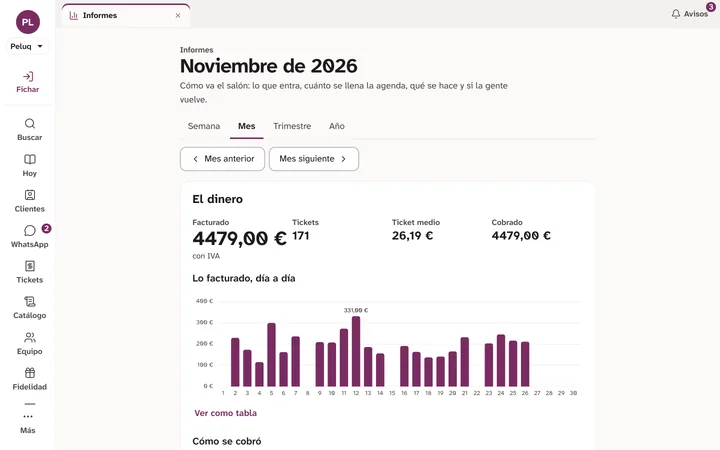
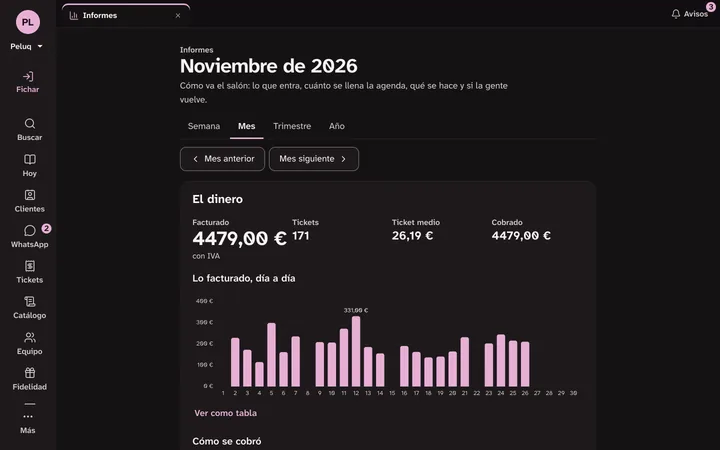
What comes in
By day, week or month, by professional and by service.
How busy the salon is
The hours and days with the most and fewest appointments, at a glance.
For your accountant
VAT books and receipts as spreadsheets, plus the journal entries exported for Sage 50 and A3.
The AI Assistant
Ask in plain words; it does what you confirm.
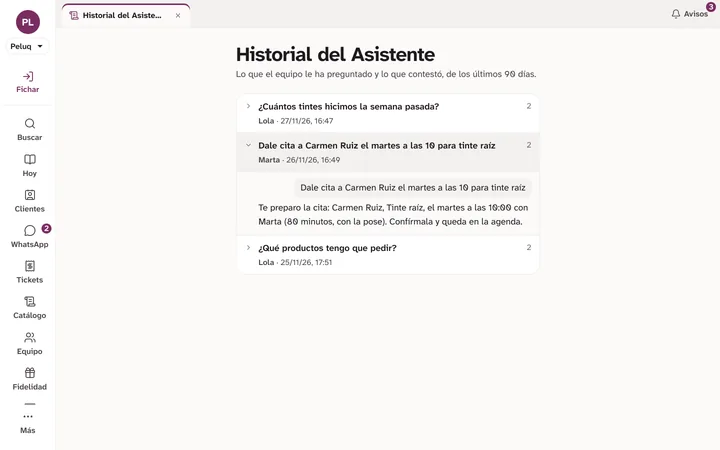
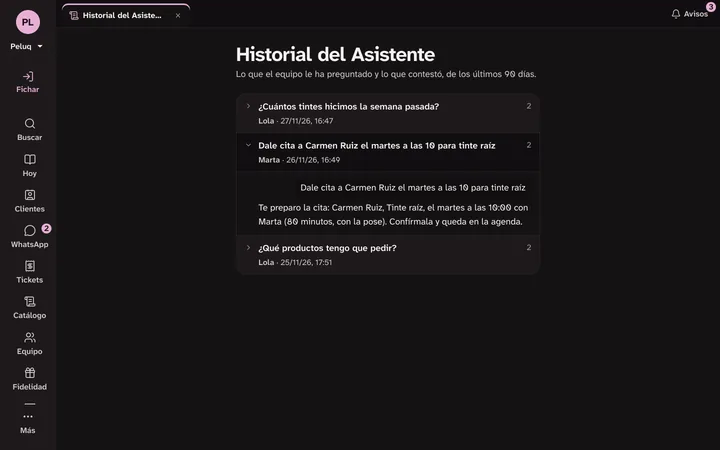
Ask in plain words
“Book Ana in on Thursday afternoon”: the Assistant finds the slot and gets it ready.
By voice
Talk to your phone or tablet when your hands are busy.
Nothing without your yes
Whatever the Assistant suggests waits for you to confirm. Nothing is charged or moved on its own.
What was asked
Every conversation is kept for 90 days, with who had it, so you can go back to it.
My Belsy, for your clients
The app they book with and keep their stamps in.
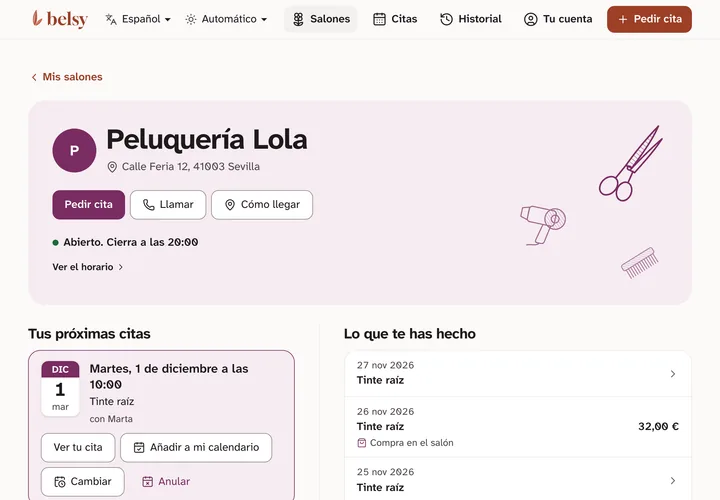
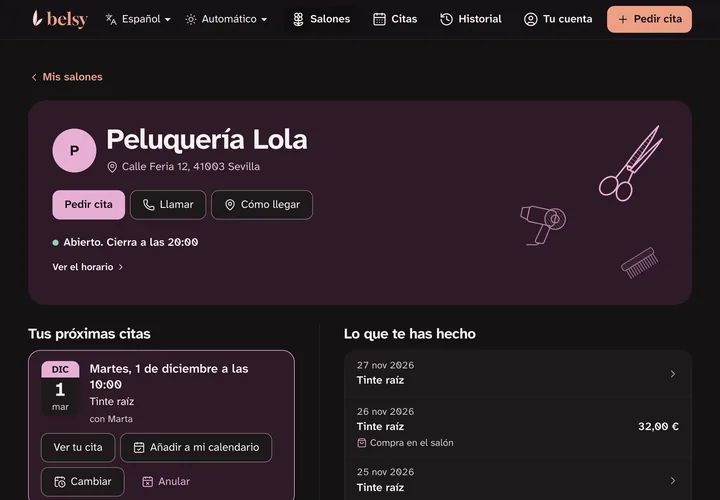
Their appointments on their phone
They book, change or cancel from the app, at any hour.
All their salons, one account
If they go to your salon and another, they see each one separately, never mixed.
Scan and join
With the front-desk QR code they join your salon without typing anything.
Their health record
They see what you keep about their health and can withdraw their consent whenever they want.
Packages and gifts from the app
They buy a package or a gift card from your salon on their phone.
Paying without leaving the app
The deposit or the whole appointment, by card, from their phone.
Everything they’ve had done
Their history by year, across all their salons, with what they paid and their receipt.
Laser and beauty
For treatments by sessions and by body area.
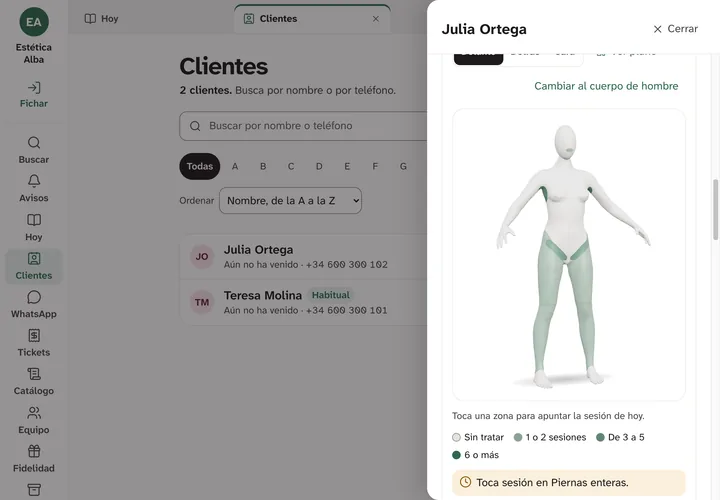
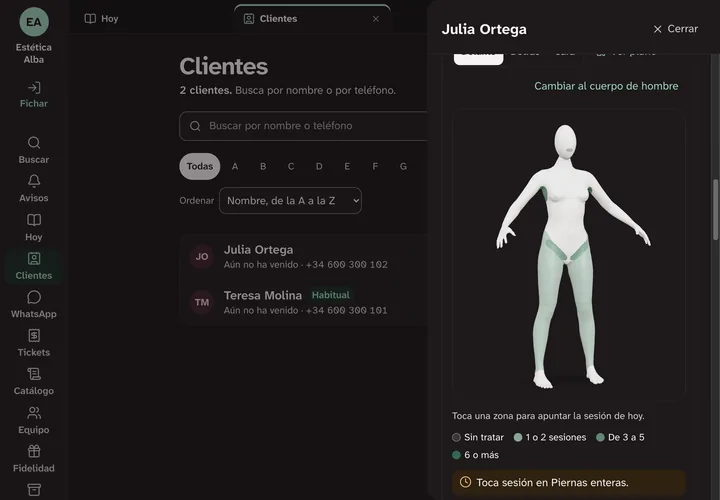
The body map
Every treated area, with its sessions, on a figure you can turn.
Sessions and settings
The energy and settings of each session, so the treatment carries on with the same hand.
Pets
For dog and cat groomers.
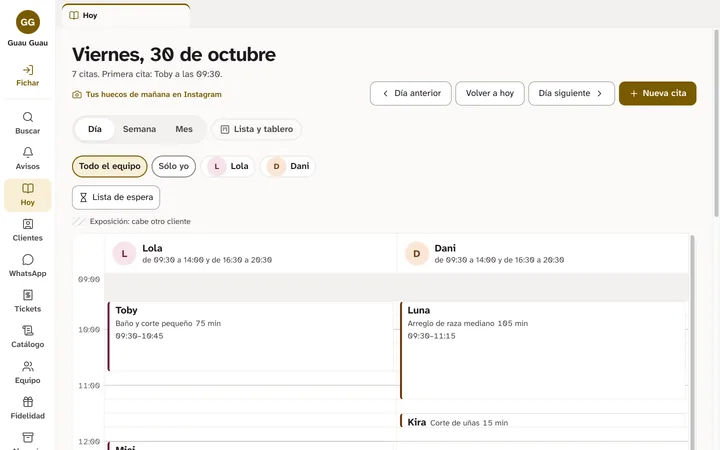
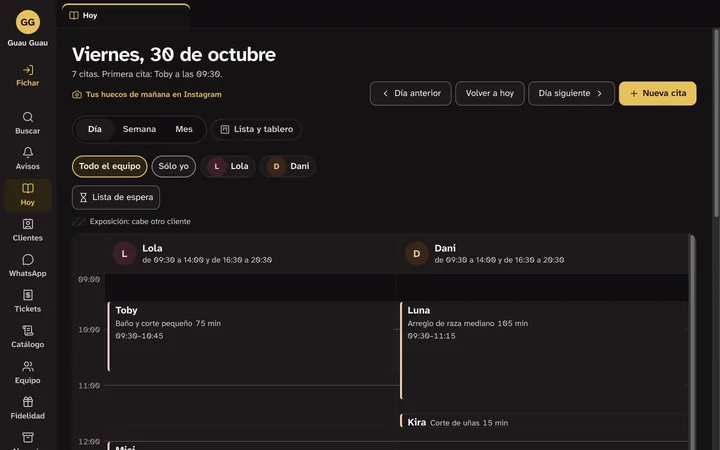
The pet’s card
Breed, size, coat, temperament, vaccinations and allergies, linked to the owner’s card.
Prices by size
Small, medium, large or giant, each with its own price and time.
Who’s coming, before they arrive
The calendar shows the pet’s name and warns you if it’s nervous or may bite.
Everywhere
What works on every screen.
On computer, tablet and phone
With your account on all of them: in the browser or with the Belsy app from the App Store, for iPhone and iPad.
Search everything
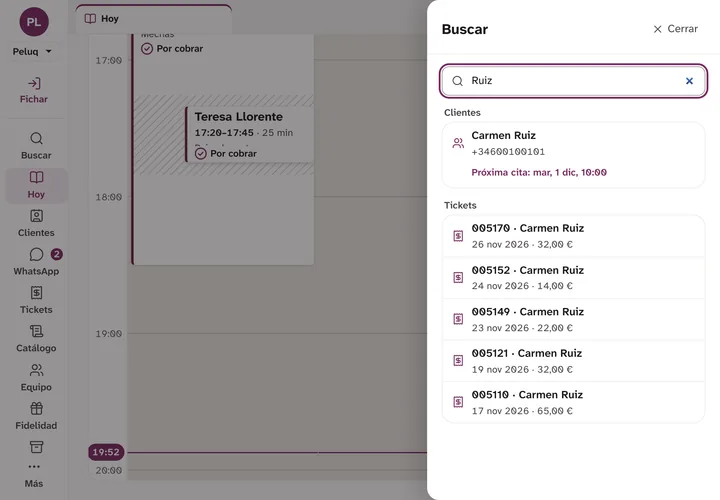
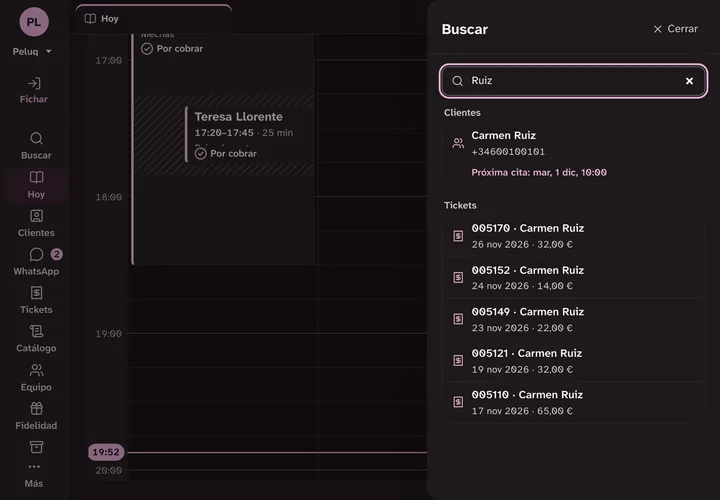
A client, a receipt or an appointment, by typing at the top of the dashboard.
Your data is yours
Download a copy of everything whenever you like. Nobody outside your business sees your clients.
Sign in with Apple, Google or Microsoft
No extra password to remember, in the dashboard and in My Belsy.
What’s new and a guide, built in
Belsy’s latest features and a user guide, one tap away in the menu.
How it works
Five steps to get started. Then, an ordinary day in the salon.
Getting started
Create your account
Your name, your business’s name and what you do. It takes two minutes and no card.
Check your price list
Belsy brings the services for your type of business with starting times and prices. Change whatever doesn’t fit.
Add your team
Each professional with their days and hours. If you like, with their own login.
Open your bookings
Put your link on Instagram and Google, and print the front-desk QR code.
Bring what you already had
Your clients, their packages and their stamps, from a spreadsheet or your old software.
A day in the salon
You open the book
You see who’s coming and what’s being done. Last night’s bookings are already in.
Someone’s running late
They say so from their reminder: “10 minutes”. You see it on the appointment without picking up the phone.
While the colour develops
Processing time frees up whoever is doing it, and a manicure fits into that gap.
An appointment is cancelled
The slot is offered automatically to whoever was coming later or was on the waiting list.
You take payment
The appointment is already on the bill. The receipt goes to the tax office and the stamp to their card.
You close up
The till by payment method, and what’s missing from stock in an order already written.
Try it with your own salon.
14 days free, no card. Your services come already set up.